How to request your Kindle and Audible data from Amazon
Sign in to Amazon and open the Request Your Data page. Scroll to Kindle or Audible, click Submit Request, then confirm the email Amazon sends. In a day or two you get kindle.zip or Audible.zip with your library and your reading or listening history.
1. Open Amazon’s data request page
Sign in to Amazon, then go to amazon.com/hz/privacy-central/data-requests/preview.html. It works in a phone browser or on a computer.
Outside the US? Change amazon.com in that address to your local Amazon store, such as amazon.co.uk, amazon.ca or amazon.com.au.
2. Choose Kindle or Audible and submit
The page lists your data by category. Scroll to Kindle or Audible and click Submit Request. Want both? Submit each one; they arrive as separate files.
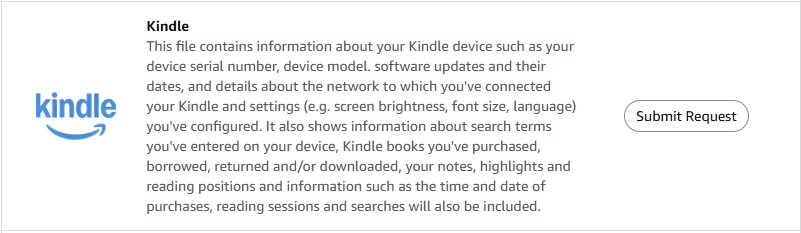
3. Confirm the email
Amazon emails you straight away. Open it and tap Confirm Data Request. Nothing happens until you do.
4. Wait a day or two
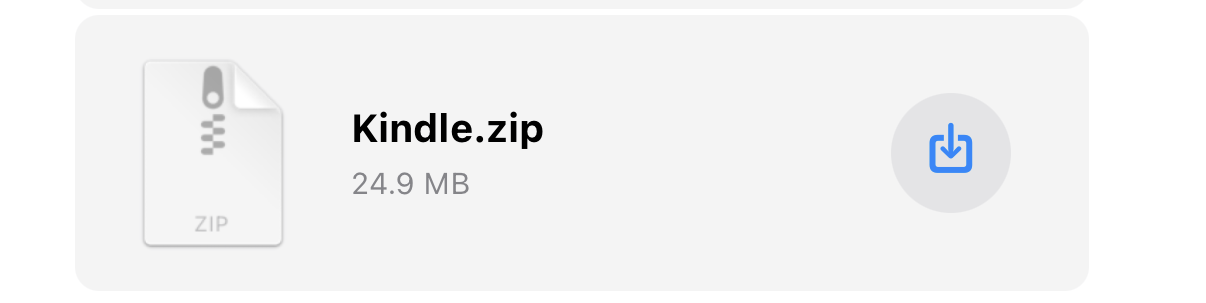
When your data is ready, Amazon emails you again with an attachment: kindle.zip or Audible.zip. If there’s also a .csv file, you can ignore it.
What’s inside
kindle.zip holds many small files. The useful ones:
- a folder of book records, one per title you own,
- your reading sessions, with how long you read each time,
- the titles you’ve finished,
- Amazon’s genres for your books and your Kindle achievements.
Audible.zip holds your library (title, author, purchase date, length, narrator, series, finished or not), your listening history session by session, and your ratings.
The files are CSV and JSON, so you can open them yourself. Or open the zip in eBookSort, which reads them for you.
5. Open it in eBookSort
Open the email on your iPhone and tap the zip file. When the preview appears, tap the Share button, then choose eBookSort. You may need to scroll or tap More to find it. Downloaded it on a computer instead? Save the zip to iCloud Drive, AirDrop it to your iPhone or email it to yourself, then tap Browse for Zip File in eBookSort.
eBookSort turns the files into your library, sorted into genres, with reading stats, listening stats and your Audible purchase history.
Questions
Is it safe to request my data?
Yes. It’s Amazon’s own privacy page, and the copy goes only to your account’s email address.
How long does it take?
Usually a day or two. Large libraries can take longer.
Do I need to do it again later?
Only to pick up newer purchases and reading. Each request gives you everything up to that day.
What stays on your phone
eBookSort stores your library on your iPhone, with no account and no tracking. It only goes online to look up covers and book details, sending a book’s title and author to Google Books or Open Library. Read the privacy policy for details.